x-windows
-
development x-windows slackware15
Setting up Slackware 15 on T430 for X Window Programming
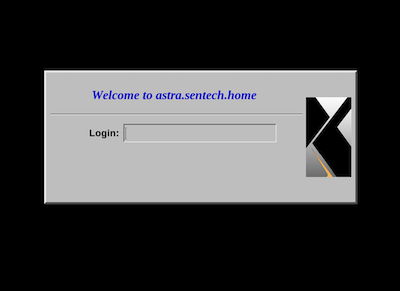
The note walks through the process of installing and configuring a working Slackware 15 64 instance with the packages mirrored locally for ease of access and eliminating the need to be online as much. When the system is up and running it provides xdm services to nearby hosts (those on the local network). This makes running and testing x window clients simpler and more interesting. You may notice that the note references other environments that you may not have or want to use (MacOS Mojave and FreeBSD 13.1). Just ignore those references as they are not strictly required.
I chose Slackware 15 64 as the environment after trying out various flavors of Debian, Arch, Kwort and others. While these worked ok, they did not provide much of a clean, vanilla x experience. Slackware, on the other hand, provided a sane, simple, and understandable x environment that was pretty vanilla :). It feels really good to get back to Slackware and its simplicity. I don't have a gazillion processes running doing who knows what, the laptop sleeps without crazy interventions, and stuff works well. That said, Slackware is not for the faint of heart. You should be somewhat familiar with Linux and it's command line interface and be willing to do your own research before jumping into it.
-
development x-windows xlib
Xlib basics
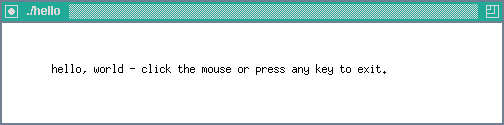
This note explores the basics of Xlib. It covers enough to open a window, configure it, display a message, respond to some events, and close it gracefully - see figure 1 for a hint at what this will look like.
Why xlib? Well, because we can, because it is the lowest level above the X protocol (sending bits around), and because, contrary to many espoused beliefs these days, knowing how to do something the 'hard way' helps you understand what's going on with the 'easy way'... and when things inevitably go wrong, you want to have a clue.
Figure 1. A Basic Xlib Application
-
operating-systems mojave x-windows
Setting up for X-Windows Development on MacOS
This note describes setting up a development environment for doing X Windows Development on Mac OS from the ground up. The notes do apply to other environments... with minor tweaks (I tried the same basic setup on Debian Linux, DragonFly BSD, and FreeBSD with no major issues).
This is enough setup to build applications in X Windows using Xlib - the lowest level of programming in X... other than the X Protocol :). I did this because I have developed an interest in how graphical interfaces work and X, for all its quirks, is not self-limiting, crippled, partially proprietary or any of that nonsense and it is widely used.
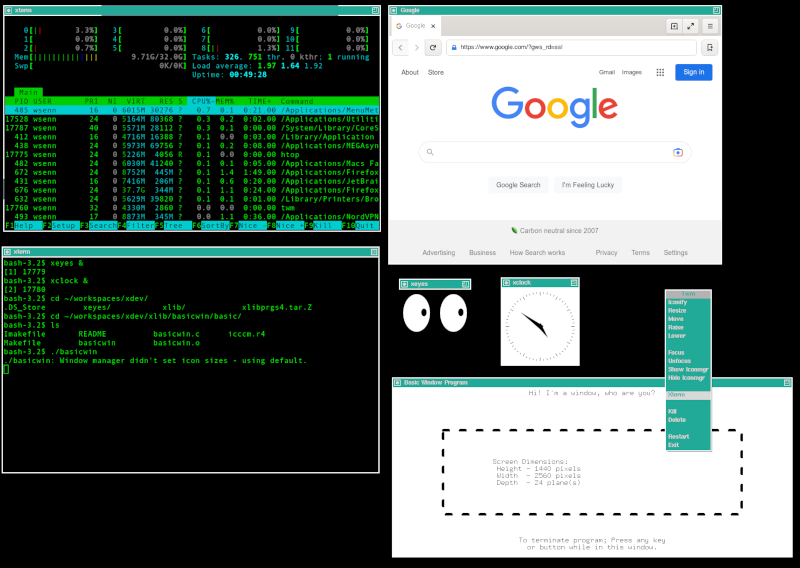
After setting up, downloading some source, building and deploying, here's what we're looking at... on a Mac: